
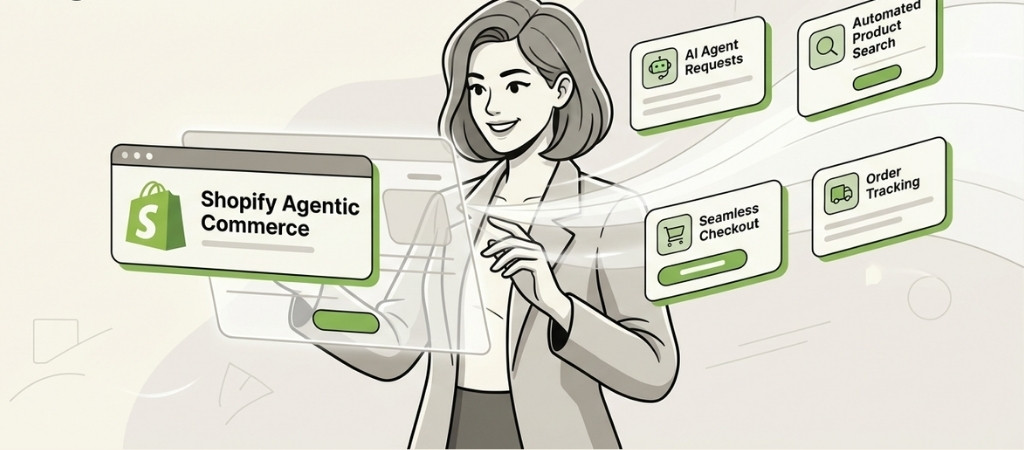
What is Shopify Agentic Storefront?
Shopify Agentic Storefront is a new AI-powered sales channel that allows your products to be discovered, recommended, and purchased directly within AI chat platforms like ChatGPT, Google AI Mode/Gemini, and Microsoft Copilot. Instead of customers browsing your website, AI agents act as personal shoppers—finding, comparing, and completing checkout within conversational interfaces.
Current Availability Status
⚠️ Early Access Only: Agentic Storefronts are currently rolling out in phases. You must be based in the United States and products must be eligible for inclusion in the Shopify Website Catalog. You’ll receive an email and admin notification when it becomes available to your store.
Step-by-Step Implementation Guide
Step 1: Check Eligibility & Enable Agentic Storefronts
- Log into your Shopify Admin
- Navigate to Settings → Apps and sales channels
- Look for an “Agentic storefronts” section
- If available, click on the specific AI channel you want to manage (ChatGPT, Google AI Mode, Microsoft Copilot)
- Toggle the channel ON to enable direct selling
- This activates the Shopify Agentic Storefronts Terms
Note: If you toggle a channel OFF, your products remain discoverable but shoppers are redirected to your online store to complete checkout.
Step 2: Prepare Your Product Catalog (Critical!)
AI agents rely on clean, structured data. Before enabling:Table
| Action | Details |
|---|---|
| Clean Titles & Variants | Include key specs in titles (size, material, compatibility). Use unambiguous variant names like “Midnight Black” instead of “Black” |
| Fill Key Attributes | Materials, dimensions, weight, compatibility, ingredients, certifications |
| Ensure Inventory Accuracy | Real-time sync is essential—agents won’t recommend out-of-stock items |
| Add Quality Images | Clear primary image, true-to-variant photos, and “proof” images showing dimensions/labels |
| Structured Data (JSON-LD) | Implement Schema.org markup for better AI recognition |
Step 3: Configure Your Knowledge Base
Use Shopify’s Knowledge Base App to “teach” AI agents about your brand:
- Upload FAQs with clear, conversational answers
- Document return policies, shipping times, and warranty terms
- Define your brand voice guidelines to ensure AI responses sound on-brand
- Add fit notes, use-case bullets, and sizing guides
Tip: Write policies in plain language so AI can explain them naturally to shoppers.
Step 4: Manage Product Visibility
To review/publish products to AI storefronts:
- Go to Settings → Apps and sales channels → Agentic storefronts
- Click the storefront you want to review
- Click Products to see the filtered product catalog
- Use the Sales channel availability controls on individual products to publish/unpublish
To hide products from AI discovery entirely:
- Add a custom
seo.hiddenmetafield, OR - Set the product as Unlisted (note: this may also affect search engine visibility)
Step 5: Track AI-Attributed Orders
- Navigate to Settings → Apps and sales channels → Agentic storefronts
- Click the storefront/channel
- Click Orders to filter and view orders placed via that AI channel
You can track orders from specific channels like “ChatGPT Instant Checkout” when available.
Key Technical Requirements
| Requirement | Details |
|---|---|
| Plan | Basic plan or higher with checkout enabled |
| Location | Store must be US-based |
| Payment | Stripe properly configured (for agent checkout) |
| SSL Certificate | Required for encrypted communications |
| Real-time Inventory | Essential to prevent overselling |
Current Limitations to Know
| Feature | Status |
|---|---|
| Subscriptions | ❌ Not supported |
| Product bundles | ❌ Not supported |
| Discount codes | ⚠️ May not work depending on AI channel |
| Local delivery / BOPIS | ❌ Not available |
| Google Analytics / custom pixels | ❌ Won’t fire (only server-to-server pixels work) |
| Plus checkout blocks | ⚠️ Some may not display |
30-90 Day Rollout Plan
| Phase | Timeline | Actions |
|---|---|---|
| Foundation | Week 1 | Clean product data, finalize policies, complete Knowledge Base |
| Enable & Observe | Weeks 2-6 | Turn on one platform, monitor recommendations |
| Optimize | Weeks 7-13 | Refine descriptions, add missing attributes, track KPIs |
Key KPIs to track:
- AI-attributed revenue
- Conversion rate on agent-referred sessions
- Average order value from agent-driven orders
- Top SKU coverage
For Non-Shopify Merchants
If your store runs on another platform (Magento, BigCommerce, etc.), Shopify offers an “Agentic Plan” that lets you upload your catalog to Shopify Catalog and sell through agentic storefronts without migrating your entire store. Pricing is TBA—sign up for the waitlist for updates.
Would you like me to elaborate on any specific aspect, such as optimizing your product data for AI recognition or setting up the Knowledge Base?
